My Dino Empire: How to Get Bones (Place, Dig & Collect)
How to get bones in My Dino Empire: roll dinosaurs, place them at base pads to dig ancient bones, collect with the COLLECT prompt, and speed up digging with the right upgrades.
In My Dino Empire, bones come from your own base. Dinosaurs you've rolled dig up ancient bones there by themselves — but only once they're placed. A dinosaur sitting in your collection and one standing on a floor are different states, and an unplaced dinosaur digs nothing.
Quick answer
Roll a dinosaur, carry it to a base pad, and confirm with the PLACE prompt (E on keyboard; the on-screen equivalent on mobile). Placed dinosaurs then dig up ancient bones around the patches on your floors by themselves — collect at the base with the COLLECT prompt when it appears.
- Only placed dinosaurs work; the collection is storage, not a workplace.
- Digging is automatic — your job is placing good dinosaurs and collecting what they find.
- The Digging Speed upgrade boosts one floor at a time, not the whole base.
- Bones turn into cash at the bone crusher upstairs, which is the selling step and separate from digging.
Put a dinosaur to work at your base
- Roll a dinosaur. Rolling builds the crew, and you can't place what you don't own — the how-to-roll guide covers the roll side if you're starting out.
- Pick it up and stand beside a base pad. Carry the dinosaur you want to use next to one of the pads on your base floor.
- Confirm the placement. Use the PLACE prompt: E on keyboard, the on-screen button on touch devices.
- Let it dig. A placed dinosaur starts working the bone patches on that floor on its own and needs no further input.
Before you spend cash on new dinosaurs, it's worth a quick check of the current My Dino Empire codes.
How digging works — and what makes it faster
Placed dinosaurs dig around the bone patches on your base's floors. The base is a multi-level operation: Up and Down controls move you between levels, and each floor has its own upgrade panel. Three things control how fast bones come in:
- Which dinosaurs are placed. The Equip Best button drops your strongest dinosaurs onto the floors in one go, which beats carrying each one to a pad by hand once your collection grows.
- Dinosaur quality. Every dinosaur has a per-bone value, and rarer, better dinosaurs bring in more bones per second. You can also upgrade a dinosaur to raise its per-bone value — in one heavily Robux-boosted session, values ranged from about 2.07 million to 100 million per bone, with a shop dinosaur advertised at 400 million. Treat those as examples of the scale, not fixed rates.
- Digging Speed. The floor panel offers Fossil Respawn, Digging Speed and Sell Multiplier — as shown on Floor 1 — and Digging Speed does what its tooltip says: dinosaurs dig up bones faster, but only on the floor you buy it for, not across the whole base. The base guide breaks the panel down further.
Collecting the bones
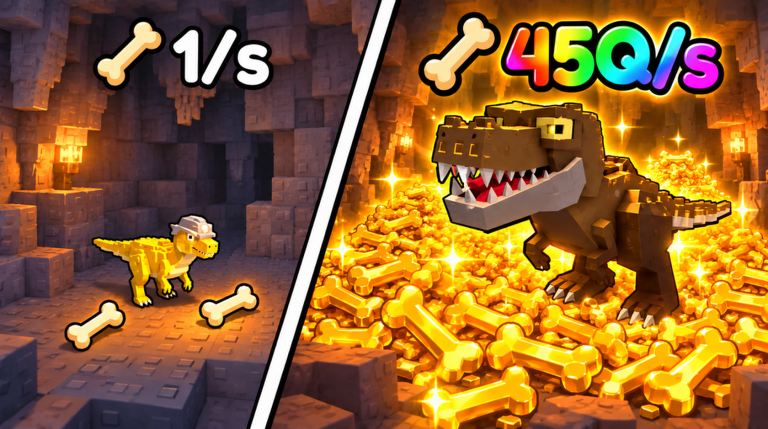
Use the E COLLECT prompt at your base to gather what your crew has dug up — make it a routine part of checking in on your floors. It's a separate interaction from buying an upgrade, so don't mistake it for part of the shop flow.
From bones to cash
Dug-up bones aren't money yet. The bone crusher on the upper floor converts them into cash, and you move the bones into it yourself. Crusher upgrades make it convert faster. That conversion is the selling side of the operation; this page covers the digging side.
You also don't have to babysit any of it. Digging, selling and spending are three separate tasks, and the base keeps earning while you're offline — plan your next visit around what you want to improve. If you see a warning about leaving, it concerns the separate Playtime reward, not your base's earnings.
The full loop at a glance
How the cycle works
Roll dinosaurs
Rolling builds the crew. A dinosaur in your collection is only potential — it hasn't started working yet.
Place at a pad
Hold the dinosaur beside a base pad and confirm with the PLACE prompt (E on keyboard, touch equivalent on mobile).
Dinosaurs dig
Placed dinosaurs work the bone patches on their floor, adding bones at each one's per-bone rate.
Collect
Use the COLLECT prompt when it appears at the base to gather what the crew has dug up.
Crush into cash
Feed the bones into the bone crusher upstairs; upgrades speed up the conversion.
Reinvest
Spend on floor upgrades like Digging Speed, or on better and rarer dinosaurs — both raise the digging rate.
Reinvested cash digs faster, so the loop restarts at a higher rate — and the base keeps earning offline in the meantime.
Common problems and fixes
Problems and fixes
A dinosaur isn't digging
It's still in your collection — unplaced dinosaurs don't work.
Suggested responsePick it up, carry it to a base pad, and confirm with the PLACE prompt (E on keyboard, on-screen button on mobile).
One floor earns slower than the others
Digging Speed upgrades are per floor, so a floor without its own upgrade lags behind — or its dinosaurs are simply weaker.
Suggested responseBuy Digging Speed on that floor's own panel and make sure your strongest dinosaurs are placed with Equip Best.
Bones pile up but cash doesn't move
Bones are a resource, not money — conversion happens in the crusher, not on the digging floor.
Suggested responseTake the bones upstairs and put them through the bone crusher; upgrade it to convert faster.
Related Guides
How to Roll Dinosaurs
Find the ROLL DINOS lever, learn what every roll can give you, and what to do right after.
How to Place Dinosaurs
Carry a dinosaur to a base pad and place it correctly on desktop or mobile controls.
Base Guide: Parts & Upgrades
Tour every base part, see what pads, floors and the Bone Crusher do, and pick upgrades wisely.
Progression Guide: Early Order
Follow the best early order after the tutorial to build steady bones and money momentum.