PETS500 Cash (advertised)
Source checked:
Roll for rare dinosaurs, sell ancient bones for cash, and expand a base that keeps earning even while you're offline.
How to Play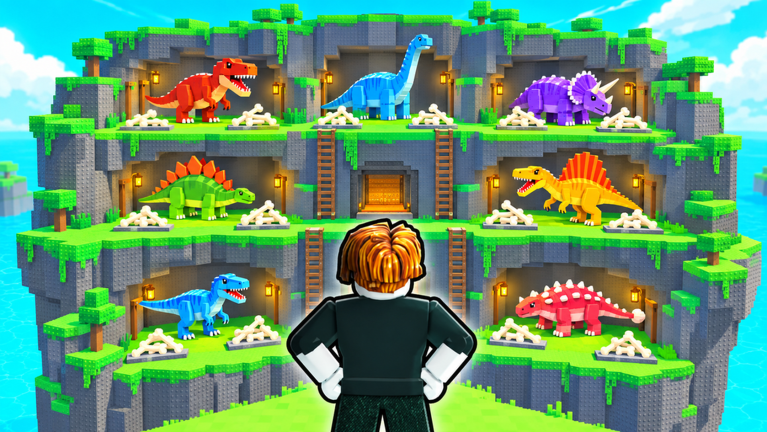
The advertised codes PETS, BONES and RELEASE, redeemable in the Settings menu.
PETSSource checked:
BONESSource checked:
RELEASESource checked:
| Code (click to copy) | Rewards | Status | Source checked |
|---|---|---|---|
PETS | 500 Cash (advertised) | Tested active | |
BONES | 5k Cash | Tested active | |
RELEASE | 10k Cash | Tested active |
Browse current codes, dinosaur guides, progression walkthroughs, playtime rewards, gamepass comparisons and the latest game updates.
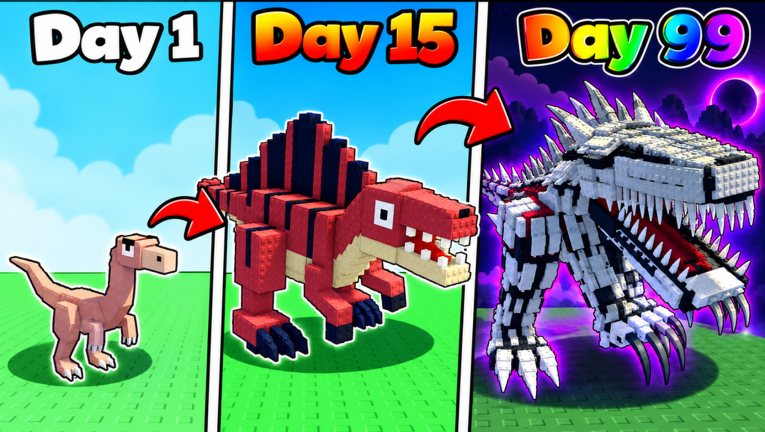
My Dino Empire is a Roblox incremental simulator by Bone Bandits! where players manage a growing dinosaur-based operation. The broader goal is to develop a larger, more productive base and build up your collection over time.
Explore progression guidesDeveloper
Bone Bandits!
Platform
Roblox
Genre
Incremental Simulator
Experience Created
Sep 9, 2026
Max Players
6
Main Currency
Cash
Base Structure
Upgradeable floors
New Player Milestones
Tutorial and first egg
From the fresh-save banner to your first bone sale — the four moves that start every save.
A fresh save opens at '$28 / $1,000' — earn $1,000 toward your first Pet Egg
Your first dinosaur lands in your backpack
Your first crew member goes to work
First cash in
The roll-place-dig-sell loop, and where each sale's cash should go.
Momentum comes from repeating the bone-selling loop and giving each sale's cash one clear job: more rolls, a faster floor, or a bigger base.
Every roll costs cash, so keep a cushion; the Equip Best button drops your strongest owned dinosaurs onto the base spots.
A dinosaur sitting in your collection earns nothing until it is placed at a base pad.
The floor panel offers Fossil Respawn, Digging Speed and Sell Multiplier; Digging Speed's stated effect applies to that floor only.
Unlock Floor adds dinosaur spots; one mid-game example showed a 120 billion cash gate, so treat floor money as its own savings target.
Working codes drop free cash that shortens waits, but the bone-selling loop is what actually builds the base.
Pads, floor upgrades, the sell zone, the Bone Crusher and Unlock Floor — what each part does.
Placed dinosaurs dig ancient bones here; hold a dinosaur beside a pad and use the place prompt (E PLACE on the demonstrated setup).
Each floor offers Fossil Respawn, Digging Speed and Sell Multiplier; Digging Speed makes dinosaurs dig faster on that floor only.
Turns dug bones into the cash that pays for every roll and upgrade.
An upper-floor station that converts stored bones into money; one observed example stated a +50% money bonus.
The upgrade menu's expansion purchase — it gates on the cash amount shown and adds dinosaur spots.
From the ROLL DINOS lever to a placed crew member — the cycle that builds your empire.
This platform is the roll control area; each roll costs in-game cash.
Results carry rarity labels — one player's crew showed Mythical, with Apex ranked above it.
A rolled dinosaur only earns once it is placed at a base pad.
The cash funds your next roll.
Each bone sale funds the next roll, so the roll-place-dig-sell cycle repeats.
All six optional passes with sampled prices and who each one actually fits.
| Pass | Price | Best for |
|---|---|---|
| 2x Luck | 99 Robux | Collection-first players chasing rarer rolls (no guaranteed result) |
| Auto Roll | 79 Robux | Players who already enjoy long rolling sessions |
| 2x Pet Equip | 299 Robux | Players who want more equipped pets (not double income) |
| Auto Sell | 99 Robux | Players whose repeated selling interrupts play |
| 2x Speed Auto Roll | 15 Robux | A budget option for faster automatic rolls |
| Auto crusher | 299 Robux | Players who already understand and use the crusher |
Your base earns either way — what actually differs between staying connected and leaving.
| Your choice | Base income | Playtime progress |
|---|---|---|
| Stay connected, AFK | Keeps earning | Keeps building; the game says you won't be kicked for being AFK |
| Log out / close Roblox | Keeps earning offline | Resets — claim any ready reward first |
What the Playtime window offers, and the one reset warning that matters before you leave.
Open the Playtime window during a session and claim anything ready — leaving resets Playtime progress.
Cash, time skips, boosts, Explorer Egg, Frost Mutation Milk and Emberback Spinosaurus appeared on the window's tiles in October 2026.
The warning covers Playtime progress only — your base keeps earning offline and your collection stays put.
Quick answers about the current codes and how game changes are tracked.
Get oriented with the dinosaur-and-base loop or open the official Roblox game to play.